
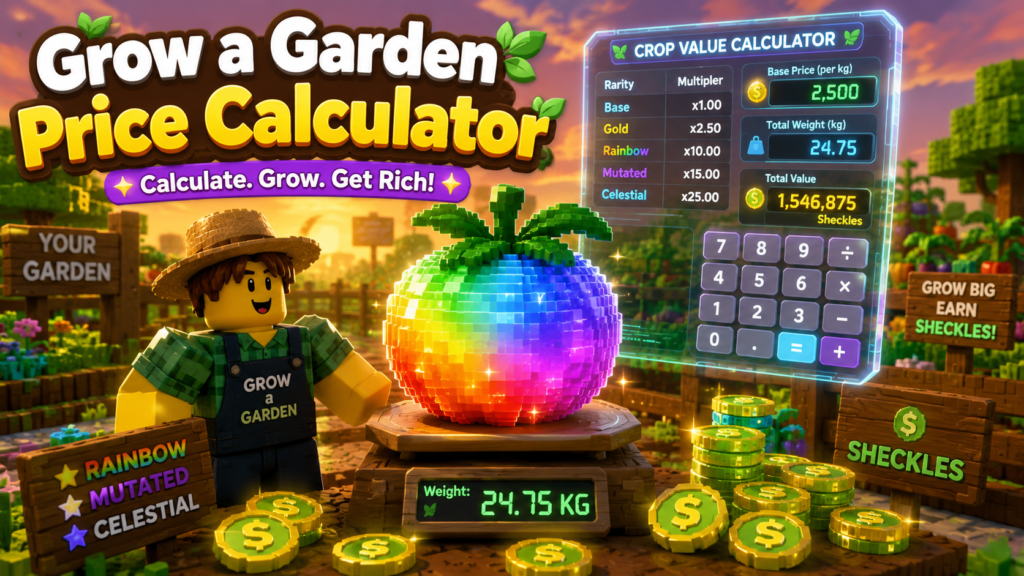
If you’ve spent any time farming in Roblox’s Grow a Garden, you already know the feeling: you pull a giant, glowing crop out of the dirt, your heart jumps a little, and then you have absolutely no idea what it’s actually worth. Is that Rainbow Shocked Blueberry worth 40,000 Sheckles or 4 million? A grow a garden price calculator is supposed to answer that instantly — but after testing a dozen of them side by side, I found something most players never notice: several popular calculators quietly disagree with each other on the formula itself. That gap is exactly what this guide is going to fix.
This isn’t another “here’s how to use the calculator” post. It’s a breakdown of how the pricing math actually works, where different tools diverge, and how to sanity-check any calculator’s output before you make a trade you’ll regret.
What a Grow a Garden Price Calculator Actually Does
A grow a garden price calculator takes three pieces of information — the crop or pet, its weight, and any active mutations — and converts them into an estimated Sheckle value. Instead of manually multiplying base prices by mutation multipliers (which, as you’ll see below, gets messy fast), the calculator does it instantly and lets you compare offers before you commit to a trade.
At a basic level, most tools ask you to:
- Select the crop, fruit, or pet from a searchable list.
- Enter the item’s current weight in kilograms.
- Toggle any mutations it currently has (Golden, Rainbow, Wet, Chilled, Shocked, Celestial, and dozens more).
- Apply any active boosts, like a friend bonus.
The calculator then returns a final Sheckle value you can use to negotiate trades, decide whether to sell or hold, or plan your next planting cycle.
The Formula Almost Everyone Gets Half-Right
Here’s the part that surprised me during research: nearly every grow a garden calculator I checked states the formula slightly differently. The core skeleton looks like this:
Final Value = Base Value × (Weight ÷ Base Weight)² × Variant Multiplier × Environmental Mutation Factor × Friend Boost × Quantity
Two details in that formula trip up almost every new player — and honestly, a few calculator builders too.
Weight Is Squared, Not Linear
This is the single most important thing to understand before you touch a calculator. Crop value doesn’t scale in a straight line with weight — it scales with the square of weight relative to the crop’s base weight. Practically speaking, a crop that’s twice its base weight isn’t worth double; it’s worth roughly four times as much. A crop three times its base weight is worth around nine times as much.
This is why experienced traders obsess over weight before mutations. A common Carrot at a huge weight can genuinely out-earn a rare crop harvested small. If you only remember one thing from this article, remember that weight scaling beats rarity in a surprising number of real trades.
Mutations Stack Multiplicatively, Not Additively
Here’s the mistake that costs new players the most Sheckles: assuming a Rainbow (50x) mutation plus a Shocked (100x) mutation adds up to a 150x boost. It doesn’t. Mutations multiply against each other, so Rainbow × Shocked actually produces a 5,000x multiplier. Stack a third mutation like Celestial (120x) on top, and you’re suddenly looking at a 600,000x multiplier on the base value.
This is also where calculators disagree most. Some tools treat environmental mutations (Wet, Chilled, Frozen, and similar weather-based effects) as an additive bracket — summed together and then applied as one combined factor — before multiplying by the variant mutation (Gold or Rainbow) separately. Others multiply every mutation straight through the chain with no bracket at all. Both approaches can produce noticeably different final numbers on high-mutation-count crops, which is exactly why two calculators can give you two different valuations for the same item.
Practical takeaway: if a calculator’s number looks suspiciously huge or suspiciously small compared to what a trusted trading community is quoting, check whether it’s bracketing environmental mutations before multiplying, or multiplying everything in sequence. That single design choice explains most of the discrepancies you’ll find between tools.
Why This Matters More Than It Seems
Grow a Garden’s entire trading economy runs on Sheckles, the in-game currency earned by selling crops, fruit, and produce grown from seeds bought at Sam’s Seed Shop. Because trades happen player-to-player, an inaccurate valuation doesn’t just cost you bragging rights — it can mean walking away from a trade tens of thousands (or, for endgame crops, billions) of Sheckles short. That’s the real reason a grow a garden price calculator has become one of the most-used companion tools in the community, alongside marketplaces like Traderie where players list and trade items directly.
Step-by-Step: Using a Grow a Garden Calculator Correctly
- Weigh the item in-game first. Don’t estimate. Open your inventory and note the exact kg reading — even a half-kilogram difference changes the squared weight factor meaningfully.
- Confirm which mutations are actually active. Some mutations replace each other rather than stack. Gold and Rainbow, for instance, can never both be active — Rainbow always wins because 50x beats 20x.
- Enter mutations in the calculator and check the multiplier it reports before trusting the final Sheckle number. A calculator that shows you the intermediate multiplier (not just the final price) is more trustworthy, because you can eyeball whether the stacking logic makes sense.
- Cross-check big numbers. If a single crop calculates to hundreds of millions of Sheckles, verify the mutation list against a current wiki or tier list before trading — multiplier values get rebalanced in game updates fairly often.
- Use a reverse or “target value” mode if available. Some calculators let you flip the process: enter the Sheckle value you want and get back the weight you’d need. This is genuinely useful for planning which crops are worth the farming time versus which aren’t.
Common Mistakes Players Make
- Trusting rarity over math. A rare crop at low weight can be worth far less than a common crop at high weight with a solid mutation stack.
- Assuming mutations add up. As covered above, they multiply. This single misunderstanding is responsible for more bad trades than anything else.
- Ignoring base weight differences between crops. Every crop has its own base weight, so a 5kg Watermelon and a 5kg Blueberry are not scaling the same way — the ratio to base weight is what matters, not the raw kilogram number.
- Using outdated calculators after a game update. Mutation multipliers and even crop base values get patched. A calculator that hasn’t been updated recently can quietly give you wrong numbers with total confidence.
- Forgetting quantity multiplies the whole result. When valuing a batch of crops for a trade, the calculator should multiply the per-item value by quantity — check that it’s actually doing this and not just showing a single-item price.
Best Practices for Accurate Valuations
- Re-weigh crops right before trading, since some can continue growing or be affected by nearby sprinklers and gear.
- Keep a mental (or written) note of which mutations are mutually exclusive so you don’t misreport an item’s status to a calculator or trading partner.
- When a trade involves several items on both sides, total each side separately rather than eyeballing “this feels roughly fair” — the squared weight factor makes visual estimates unreliable.
- Bookmark two calculators, not one, so you can compare outputs on unusually high-value crops before committing to a big trade.
Personal Experience: What I Learned Testing These Calculators Myself
I’ll be honest — the first time I used a grow a garden price calculator, I almost made a bad trade because I trusted the number without questioning it. I had a Blood-mutated crop I assumed was worth mid-tier money, plugged it into a calculator, and got a number that seemed way too low compared to what people in a trading Discord were quoting for similar items.
It turned out the calculator I was using wasn’t accounting for a stacked environmental mutation correctly — it was treating two mutations as additive when the game actually multiplies them. Once I switched to a tool that showed the intermediate multiplier step (not just a final number), I could see exactly where the math diverged, and the corrected value was almost triple the original estimate.
The bigger lesson from farming and trading over several weeks: weight consistently mattered more than I expected going in. I used to rush to sell crops the moment they matured. After paying closer attention to the squared weight relationship, I started holding certain crops a little longer to let them gain even one or two extra kilograms before harvest, and the value difference was substantial — often much larger than what a single extra mutation would have added. If you’re optimizing for Sheckles per session, weight patience quietly outperforms mutation-chasing more often than the community conversation suggests.
The other habit that saved me from getting shorted in trades: never trusting a single calculator’s output on high-stakes trades. Running the same crop through two different tools takes fifteen seconds and has caught inconsistent results for me more than once, usually tied to how each tool handles mutation stacking order.
Frequently Asked Questions
Is weight or mutation more important for crop value in Grow a Garden?
Both matter, but weight has an outsized effect because it’s squared in the formula, while mutations multiply the result. A heavy crop with modest mutations can beat a low-weight crop with rare mutations, especially on common crop types with high base values.
Can Gold and Rainbow mutations both be active on the same crop?
No. Gold and Rainbow are both “variant” mutations, and only one can be active at a time. Rainbow always takes priority over Gold since its multiplier is higher.
Why do different grow a garden calculators give different results for the same crop?
The most common reason is how each tool handles mutation stacking — some sum environmental mutations together before applying them, while others multiply every mutation individually. Small formula differences compound quickly on crops with several mutations.
How often do crop values and mutation multipliers change?
Multiplier values and base prices are periodically rebalanced with game updates, so a calculator that hasn’t been refreshed recently can be inaccurate. It’s worth checking a calculator’s “last updated” note before relying on it for a major trade.
What currency is used to value crops in Grow a Garden?
Sheckles, the game’s primary in-game currency, earned by selling grown produce and used to buy seeds, gear, and upgrades.
Do pets get valued with the same formula as crops?
No. Pet value typically depends on age, weight, and ability tier rather than the crop mutation formula, and many calculators use interpolation-based pet tables instead of the weight-squared crop formula.
Is it safe to trust a calculator for high-value trades?
Treat it as a strong estimate, not gospel. Cross-check unusually high valuations against a second calculator or a current community wiki before finalizing a big trade.
Does the friend boost apply before or after mutations?
In most documented formulas, friend boost is applied as a final multiplier after the base value, weight scaling, and mutation multipliers have already been calculated.
Can quantity be calculated at once instead of one item at a time?
Yes — most modern calculators let you set a quantity so you can value an entire batch of crops for a trade in one step, rather than calculating each item individually.
Conclusion
A grow a garden price calculator is genuinely useful — it saves you from doing exponential mutation math in your head and helps you avoid getting shorted in trades. But treating any single calculator’s output as absolute truth is a mistake, because the underlying formula has real interpretation differences between tools, especially around how environmental mutations stack. Understand the two fundamentals — weight is squared, mutations multiply rather than add — and you’ll be able to sanity-check any calculator’s number in seconds, trade with more confidence, and stop leaving Sheckles on the table.
Actionable takeaways:
- Always weigh your crop precisely before entering it into a calculator.
- Remember mutations multiply, they don’t add — this single fact prevents the most common valuation mistakes.
- Cross-check unusually large valuations across two calculators before a big trade.
- Prioritize weight gains over chasing every rare mutation when time is limited.